Jellyfin + the *arr Stack
Jellyfin is the media server, with an automated *arr pipeline (Radarr/Sonarr/Lidarr/Bazarr/Prowlarr), qBittorrent as the download client, and Gluetun routing every torrent through a VPN. The network setup is the thing I'd hold on to: *all the arr containers share Gluetun's network through network_mode: "service:gluetun", so only Gluetun exposes ports and nothing leaks outside the VPN.
Jellyfin
jellyfin:
  image: jellyfin/jellyfin
  container_name: jellyfin
  restart: unless-stopped
  volumes:
    - ./jellyfin-config:/config
    - /mnt/md0/apps/jellyfin/media:/media
  ports:
    - 8700:8096          # remapped if 8096 is taken
  devices:
    - /dev/dri:/dev/dri  # hardware acceleration (Intel/AMD)
  environment:
    - TZ=America/Denver
Library layout: separate media and downloads folders; inside media, per-type folders (movies, tv, music, audiobooks). Add each as a library in the Jellyfin dashboard pointing at /media/movies, /media/tv, etc.
The stack
Every *arr app + qBittorrent + FlareSolverr runs with network_mode: "service:gluetun", so their traffic exits through the VPN. Ports are exposed on Gluetun only:
gluetun:
  image: qmcgaw/gluetun
  container_name: gluetun
  cap_add:
    - NET_ADMIN
  devices:
    - /dev/net/tun
  ports:
    - 8701:8701    # qBittorrent web UI
    - 6881:6881    # torrent port (tcp + udp)
    - 7878:7878    # Radarr
    - 8989:8989    # Sonarr
    - 8686:8686    # Lidarr
    - 6767:6767    # Bazarr
    - 9696:9696    # Prowlarr
    - 8191:8191    # FlareSolverr
  volumes:
    - ./gluetun:/gluetun
  environment:
    - VPN_TYPE=openvpn
    - VPN_SERVICE_PROVIDER=protonvpn
    - OPENVPN_USER=${OPENVPN_USER}
    - OPENVPN_PASSWORD=${OPENVPN_PASSWORD}
    - VPN_PORT_FORWARDING=on
    - SERVER_COUNTRIES=United States
    - TZ=${TIMEZONE}
Each *arr service is the standard lscr.io/linuxserver/<app> image with network_mode: "service:gluetun", depends_on: gluetun, a ./<app>:/config volume, and the shared ${DATA_LOCATION}:/data mount (qBittorrent downloads land in /data, the *arrs import from the same path). FlareSolverr handles indexers behind Cloudflare.
Wiring: Prowlarr grants each *arr app an API key and syncs indexers; each *arr points its download client at qBittorrent (reachable through Gluetun's network); Jellyfin watches the media folders.
Live TV
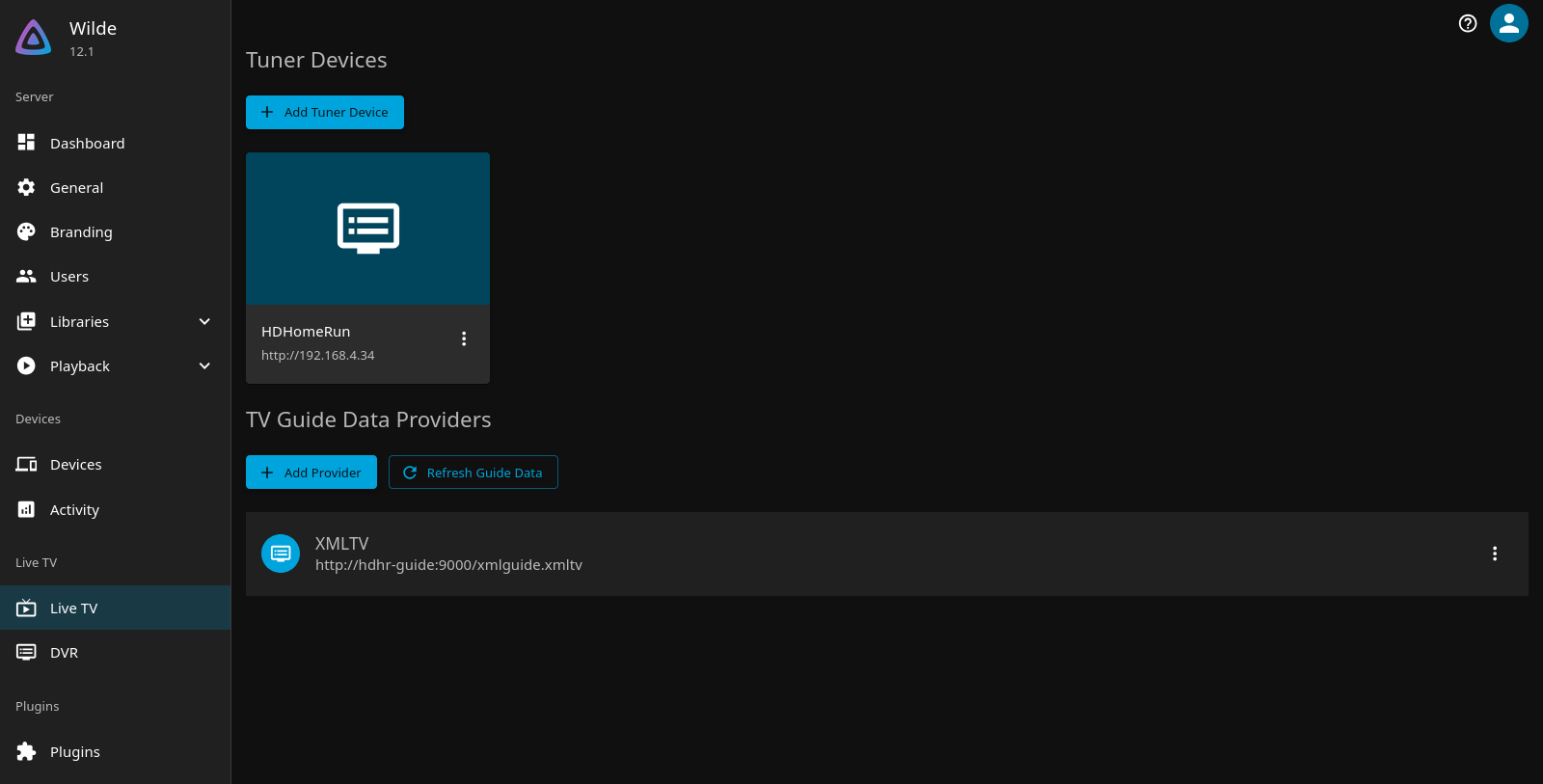
Live TV runs on an HDHomeRun tuner with the guide served by hdhr-guide, a small container that queries the tuner's DeviceAuth and serves XMLTV over the Docker network. The whole thing is three lines of compose and one Jellyfin setting.
Guide provider: XmlTV, URL http://hdhr-guide:9000/xmlguide.xmltv. Free guide data is 2 days, 14 days with an HDHomeRun DVR subscription.
Setting the recording path is not the whole job
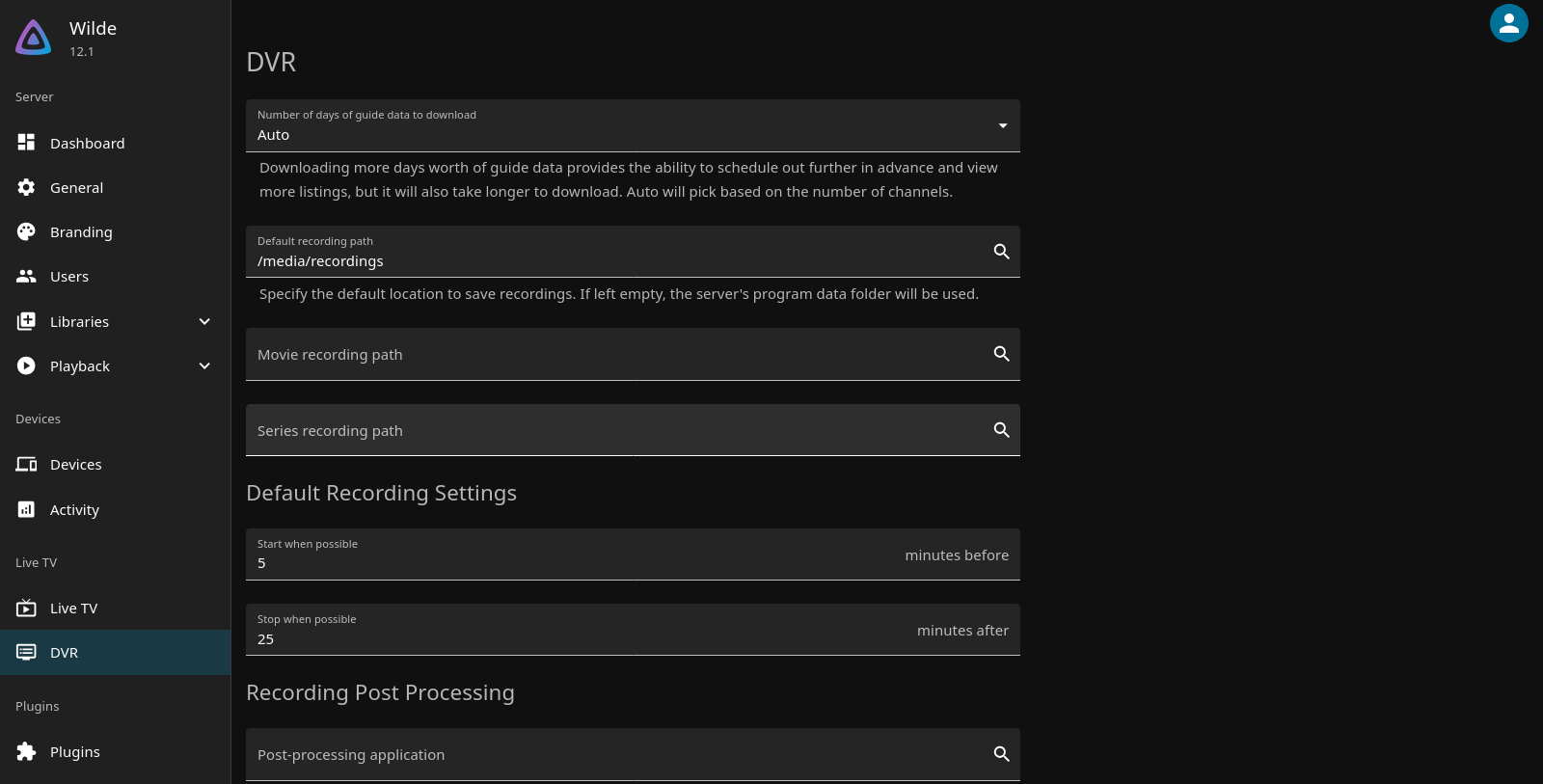
The RecordingPath field lives in the livetv named config, not in the library API. Setting it alone leaves the DVR library unregistered — the wizard's finish step is what actually registers it, via GetInternalLiveTvFolder, which creates the virtual folder lazily as a named view. That view is invisible in GET /Library/VirtualFolders, so people set the field, see nothing in the library list, and assume it failed. MediaLocationsCreated staying empty is not a failure either; RecordingPath is the load-bearing field.
Set it by read-modify-write of POST /System/Configuration/livetv: GET the config, change only RecordingPath, POST the whole object back. A PUT returns 405 on 12.x.
Live TV latency — the honest answer
Live TV is a live passthrough, not disk-backed. The HDHomeRun demodulates OTA and streams MPEG-TS over the network in real time; Jellyfin direct-plays or transcodes it. It does not write the live stream to the HDD first, so an SSD does not reduce live-viewing latency.
The latency people feel comes from three places: the playback client's jitter buffer (the big one — Fire Stick, Roku, web all hold one), direct-play versus transcode (transcode adds buffering), and the network between Jellyfin and the client. To chase real live latency, find the watching device and check its direct-play path, not the storage.
Where an SSD does help is recordings. DVR writes continuously, and on this box that lands on the same busy 12T array that serves the whole library, so steady DVR I/O contends with library reads. A dedicated SSD or mount for recordings is the legitimate use case. There is no SSD on the media VM right now — both disks report rotational=1.
Pause while watching live is RAM, not disk
Pausing or rewinding a live stream is the client's jitter buffer, tens of seconds, nothing written anywhere. It is the same knob as the perceived lag: a bigger buffer gives more pause room but leaves you further behind the broadcast. A real DVR — unlimited pause, watch-later, survives a restart — is what the recording path gives you.
Seerr
Seerr (formerly Jellyseerr) is the request front-end, v3.4.1, on the media VM at :5055. It syncs with Jellyfin on a 5-minute scan.
The log line is not proof
Seerr logs Recently Added Scan Complete every 5 minutes regardless of whether the sync actually succeeded. That line tells you the job ran, not that it worked. Trust the data instead.
The four checks that actually confirm a working sync, all read-only:
- ServerId match. Seerr stores its Jellyfin
serverIdinsettings.jsonunderjellyfin.serverId.GET /system/info.Idmust equal it (normalize: lowercase, strip dashes). A mismatch means Seerr is pointed at a stale server. Mine matches:e13f61d1be7a428bad6978a062228de9. - Auth works. Seerr's key must return 200 in the modern MediaBrowser scheme. The installed client already sends the right header — confirm by grepping
/app/dist/api/jellyfin.jsforMediaBrowser, not by assuming. - Freshness — the real tell. Seerr v3.4.x stores content in
db.sqlite3, tablemedia, camelCase columns (createdAt,updatedAt).MAX(media.updatedAt)being recent is the proof. Mine is current relative to Jellyfin's index. - Do not trust
DateLastActivity. On 12.x theApiKeys.DateLastActivitycolumn stays0001-01-01even after genuine 200s — 12.x stopped writing it. Reading a dead epoch there once led me to declare Seerr broken when it was fine.
Request statuses observed live in media_request: 2 (available/processed) 47, 4 1, 5 (terminal, declined/not-processed) 188, no pending — the queue is drained.
DVR
DVR records through the HDHomeRun. For the NFL, timers run roughly 6 games a week.
Retention — the field that actually works
There are two retention fields on a series timer and only one of them does anything.
KeepUntil (UntilDeleted, UntilSpaceNeeded, UntilWatched, UntilDate) looks like the retention setting, but it is vestigial. I searched the whole Jellyfin source and that enum is never read for enforcement — it only gets copied around in the DTO service. Setting it to UntilWatched does nothing.
The field that actually prunes is KeepUpTo, a count of recordings to keep per series. In RecordingsManager.EnforceKeepUpTo, the function returns immediately if KeepUpTo <= 0, which is the default. So a timer with KeepUpTo = 0 keeps everything forever, which is exactly what mine were doing.
Enforcement runs at the next recording, not retroactively
EnforceKeepUpTo is called from OnStarted, when a recording begins. Setting KeepUpTo on a series does not clean up what is already on disk — it prunes down to the count the next time that series records. A series that never records again keeps its backlog.
The delete path handles an unregistered library gracefully: DeleteLibraryItemForTimer tries FindByPath first, and if the recording is not in the library it falls back to _fileSystem.DeleteFile. So it still deletes the file even though my recordings folder is not a registered virtual library.
Off-by-one
EnforceKeepUpTo does OrderByDescending(EndDate).Skip(KeepUpTo - 1), which keeps KeepUpTo - 1 recordings rather than KeepUpTo. So KeepUpTo = 8 retains 7 games. Worth knowing when you pick a number.
What I settled on
KeepUpTo = 8 on every series timer, set via POST /LiveTV/SeriesTimers/{timerId} with the full timer body.
I originally wanted age-based retention — keep each recording for 5 days — but Jellyfin has no way to do that. KeepUntil is the field that looks like it should, and it is vestigial. If you want true age-based retention, it has to be a cron job that deletes .ts files older than N days, which is a different mechanism entirely.
Count-based is simpler and it is what the box actually enforces, so that is what I went with.
Permissions if you prune files directly
The recordings are owned by the Jellyfin container's user. A prune script running as your own user gets PermissionError on the .nfo and -thumb.jpg sidecars. Run it inside the container or as the owning uid.
Notifications
The *arr apps notify through Gotify/Apprise — see Notifications.